Filamora Studios › Personalised
Do Not Disturb Door Hanger
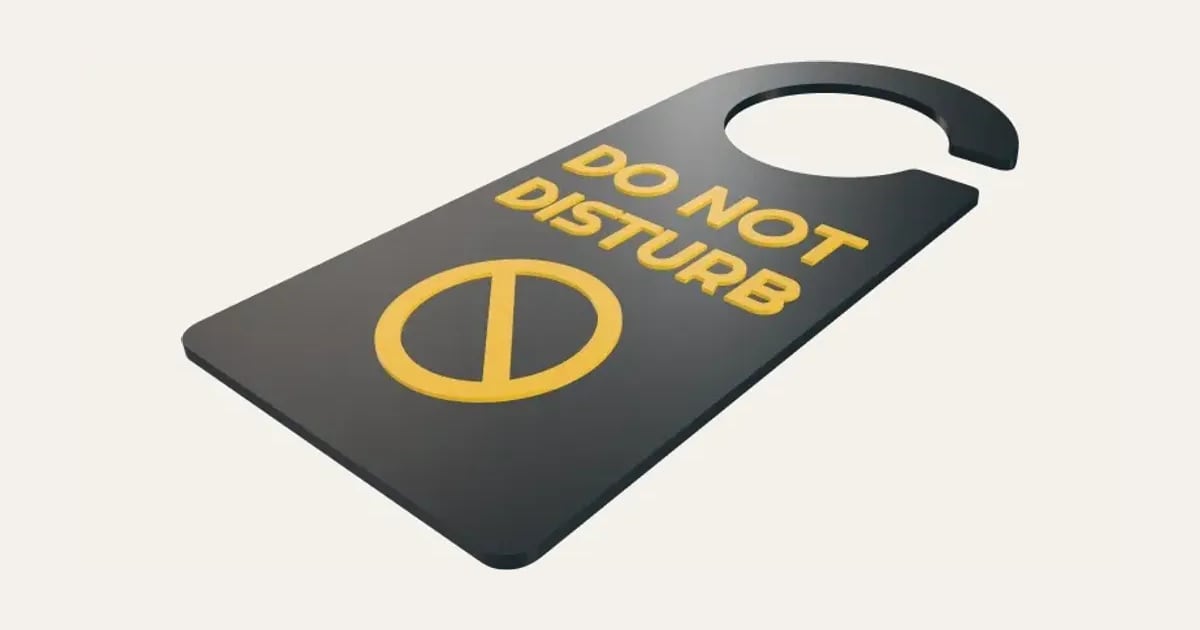
A sign that hangs on a door handle: Do not disturb on the front in raised letters, another message on the back, a slit so it fits lever handles too.
Customise it in your browser, then download a print-ready STL, or a multi-colour 3MF. No CAD skills needed.
About the Do Not Disturb Door Hanger
A sign that hangs on a door handle: a message on the front in raised letters in a second colour, another on the back, so turning it over changes it. A round hole fits over a knob, with a slit to the edge for lever handles.
What you can change
- Type your own front and back.
- Icon under the front words: none, no entry, knocking hand and moon, and 4 more.
- Icon under the back words: none, no entry, knocking hand and moon, and 4 more.
- Font: 35 to choose from, from script to stencil.
- Top: arched and square, rounded corners.
- Bottom: square, rounded corners and round.
- Pick the main and words colours.
- Adjust letter height, width, height and handle hole.
- Turn on or off: slit to the edge.
What you download
An STL for any slicer, and a 3MF with each colour as its own part, ready for an AMS or a filament change.
Printing it
Prints flat with no supports. The front’s raised words are only the top layer or so, so a multi-colour printer needs just a few colour changes (or pause and swap filament by hand). The back’s words are cut into the face on the bed, so they read correctly from behind.
Ideas for using it
- Do not disturb for a gamer’s room.
- In a meeting, for working from home.
- Baby sleeping, on the nursery door.
Questions
Will it fit my handle?
The hole fits over a round knob; the slit lets it slip over a lever handle too. Make the hole bigger for a large knob.
How do I print the two colours?
The front’s letters are only the top layer or so: a multi-colour printer swaps once or twice, or pause and change filament by hand.
Which printers and slicers does it work with?
Any FDM printer. The STL opens in every slicer; the 3MF keeps the colours as separate parts in Bambu Studio, Orca Slicer, PrusaSlicer and Cura. Pick your printer in the designer to check it fits the plate.
My 3MF opens all grey in Bambu Studio. What do I do?
Download the 3MF again: files made before 3 November 2026 open in one colour in Bambu Studio 2.9 and later. A new one brings its colours, and Bambu Studio asks you to match each to one of your filaments. With an older file, File → Import → Import 3D Models (Ctrl+I) often keeps the colours, or select each part and press 1, 2, 3… to put it on that filament.
Can I sell what I make?
On Pro and Ultimate you can sell the prints you make, for example on Etsy or at craft fairs, for as long as your membership is active: if it ends, stop selling them. On Free and Maker, print it for yourself or give it as a gift. The STL and 3MF files themselves are never for sharing or selling.
More Personalised
- Name Plate
- Name Keyring
- Stepped Name Keyring
- Street Sign
- Number Plate Keyring
- Name Desk Tidy
- Initial & Name
- Door Sign
- Christmas Ornaments
- Gift Tags
- Pet Tags
- Cake Topper
- Place Cards
- Halloween Decorations
- Table Numbers
- Name Puzzle
- Lithophane
- Bookmarks
- Gym Weight Plate Keyring
- Mini A-Frame Sign
- Miniature Street Name Signs
- Book Page Holder
- Bubble Wall Letters
- Crisp Tube Slider
- Laser-Cut Name Sign
- Laser-Cut Crossword Sign
- Name Fridge Magnets
- Trinket Dish
- Personalise Your Model
- Name Lantern
- Name Train
- Name Bunting
- Name Pencil Toppers
- Word Cloud
- Map Plaque
- Sound Wave Stand and Keyring
- Name Bracelet
- Name Tree Ornament
- Laser-Cut Name Tree Ornament
- Luggage Tag
- Pet Memorial Plaque
- Tooth Fairy Box
- Lithophane Lamp
- Lanyard Name Badge
- Paracord Letter Beads
- Dog Treat Pot
- Tumbler Lip Balm Holder
- Cable Winder Keyring
- Coin Bottle Opener Keyring
- Animal Bookmarks
- Click-Together Name Set
- Football Shirt Keyring
- Hello My Name Is Bag Tag
- Ribbon Bow Keychain
- US Novelty Number Plate
- Laser-Cut Bow Keychain
- Interlocking Names Heart
- Pet Food Scoop
- Golf Divot Tool and Ball Marker
- Drink Stirrers and Cocktail Picks
- Earbuds Case