Filamora Studios › Personalised
Animal Bookmarks
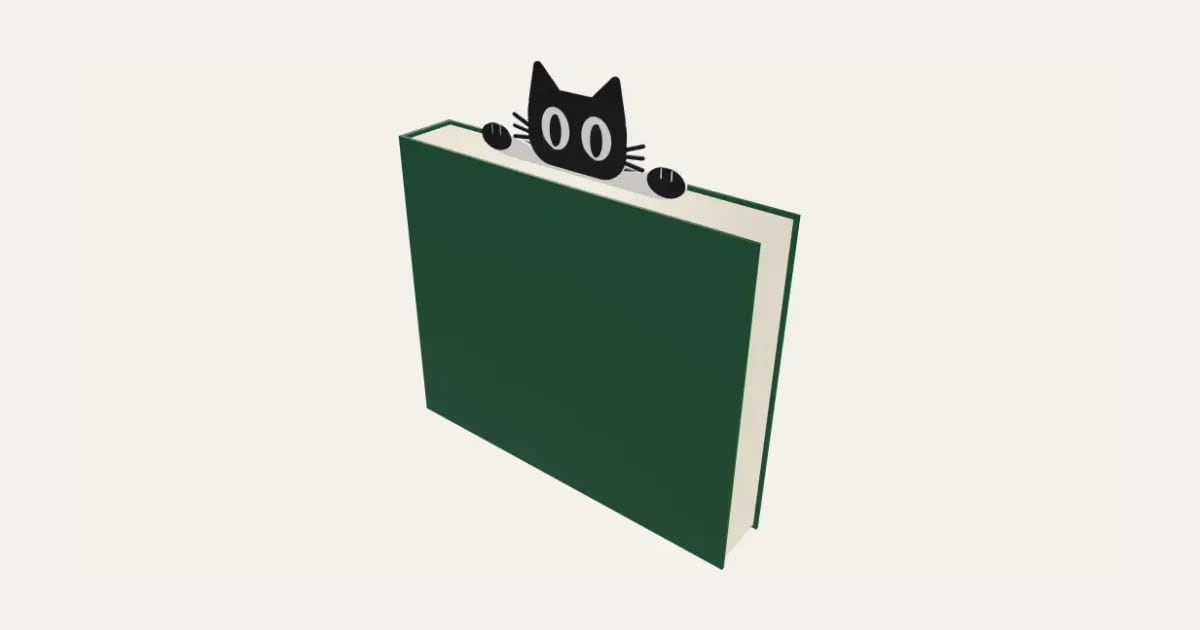
A bookmark with an animal peeping over the top of the page: a cat, dog, bear, bunny, fox, panda, owl or frog, its paws out along the page's edge. White underneath with the animal in a colour on top, and a name up the bookmark if you like. Prints flat, one filament change.
Customise it in your browser, then download a print-ready STL, or a multi-colour 3MF. No CAD skills needed.
About the Animal Bookmarks
An animal bookmark: a long white strip that goes in the book, with a cat, dog, bear, bunny, fox, panda, owl or frog peeping over the top of the page and its paws out along the page’s edge. The animal stands on top in a colour, its eyes, ears and muzzle left white, with a name up the bookmark if you like.
What you can change
- Type your own name up the bookmark.
- Make one, or a whole batch at once: paste a list of names and get one each.
- Animal: cat, dog, bear and bunny, and 4 more.
- Expression: happy, winking and evil.
- Font: 30 to choose from, from script to stencil.
- Pick the animal, eyes and nose and bookmark colours.
- Adjust width, length, head to foot, animal size and white, thick.
What you download
An STL for any slicer, and a 3MF with each colour as its own part, ready for an AMS or a filament change.
Printing it
Prints flat with no supports. It’s white underneath and the animal stands on top: change filament at the layer where the colour starts (or let the AMS do it). The eyes and nose are beside the animal in the same layers, so a third colour for them needs an AMS: without one, make them the animal’s colour. The head and paws stay above the page, the strip goes in the book.
Questions
Do I need a multi-colour printer?
Not for two colours: it’s white underneath and the animal is all on top, so it’s one filament change at the layer where the colour starts. The eyes and nose can be a third colour, but they’re in the same layers as the animal, so that needs an AMS; without one, make them the animal’s colour.
Will it bend in the book?
It’s about 1.8 mm thick, so it stays flat and stiff. Make the white thinner for a slimmer bookmark, or thicker for little hands.
Which printers and slicers does it work with?
Any FDM printer. The STL opens in every slicer; the 3MF keeps the colours as separate parts in Bambu Studio, Orca Slicer, PrusaSlicer and Cura. Pick your printer in the designer to check it fits the plate.
Can I sell what I make?
On Pro and Ultimate you can sell the prints you make, for example on Etsy or at craft fairs, for as long as your membership is active: if it ends, stop selling them. On Free and Maker, print it for yourself or give it as a gift. The STL and 3MF files themselves are never for sharing or selling.
More Personalised
- Name Plate
- Name Keyring
- Stepped Name Keyring
- Street Sign
- Number Plate Keyring
- Name Desk Tidy
- Initial & Name
- Door Sign
- Christmas Ornaments
- Gift Tags
- Pet Tags
- Cake Topper
- Place Cards
- Halloween Decorations
- Table Numbers
- Name Puzzle
- Lithophane
- Bookmarks
- Gym Weight Plate Keyring
- Mini A-Frame Sign
- Miniature Street Name Signs
- Book Page Holder
- Laser-Cut Name Sign
- Laser-Cut Crossword Sign
- Name Fridge Magnets
- Trinket Dish
- Personalise Your Model
- Name Lantern
- Name Train
- Name Bunting
- Name Pencil Toppers
- Word Cloud
- Map Plaque
- Name Bracelet
- Luggage Tag
- Pet Memorial Plaque
- Tooth Fairy Box
- Lithophane Lamp
- Lanyard Name Badge
- Paracord Letter Beads
- Dog Treat Pot
- Tumbler Lip Balm Holder
- Cable Winder Keyring
- Coin Bottle Opener Keyring
- Pet Food Scoop
- Golf Divot Tool and Ball Marker
- Drink Stirrers and Cocktail Picks
- Earbuds Case