Filamora Studios › Home & garden
Floating Book Display
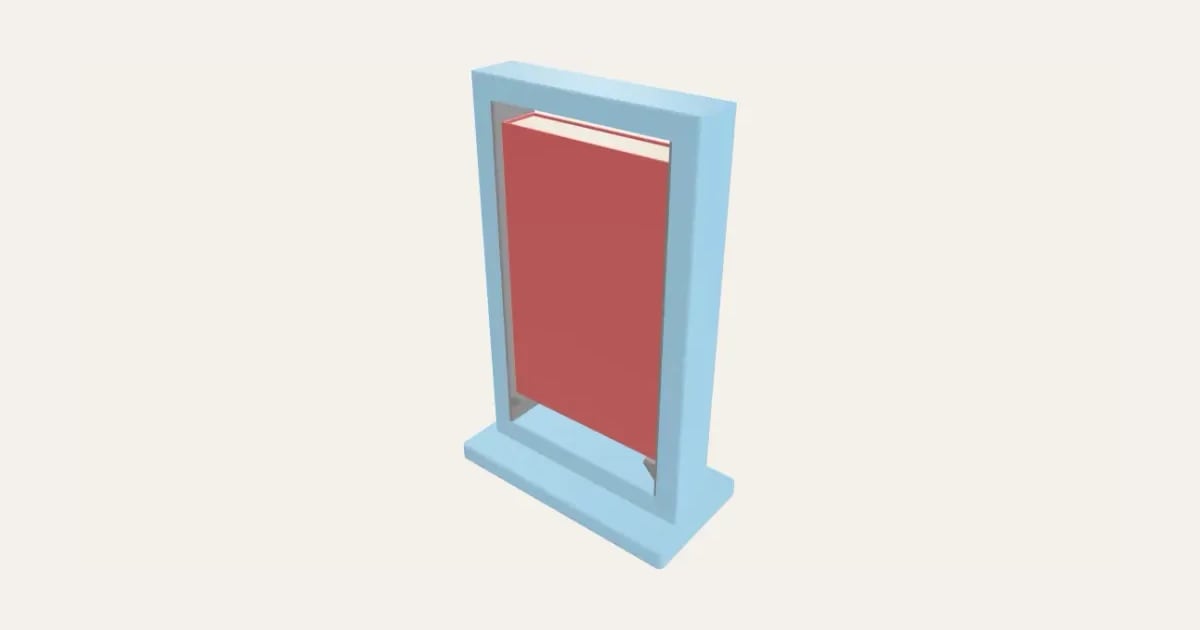
An upright frame that shows off a favourite book: it stands on small ledges inside the opening, cover to the front, and seems to float. On a slotted stand or a flat frame that sits on the shelf, sized to your book, for one or two, with the ledges in a second colour if you like.
Customise it in your browser, then download a print-ready STL, or a multi-colour 3MF. No CAD skills needed.
About the Floating Book Display
A frame that shows off a book: it stands upright in a slotted base, or on a flat frame that lies on the shelf and reaches back under your other books (an L), with small braced ledges inside each side. The book stands on a pair of ledges in the opening, cover to the front, with space all round, so it seems to float. Set it to your book’s size, for one book or two, one above the other, and print the ledges in a second colour to pick them out.
What you can change
- Base: slotted stand and flat frame on the shelf.
- Pick the frame and ledge colours.
- Adjust book width, book height, book thickness and books, one above the other, and more.
- Turn on or off: strips and ledges in a second colour.
What you download
An STL for any slicer, and a 3MF with each colour as its own part, ready for an AMS or a filament change.
Printing it
Two parts, both printed flat with no supports: the frame lying on its back, and the base (a stand, or a flat frame that lies on the shelf under your other books). Push the frame’s bottom into the base’s slot (a dab of glue makes it permanent). Measure your book and add nothing: the frame leaves room either side. For two colours, the 3MF has the strips and ledges set already.
Ideas for using it
- A signed copy or a favourite read on a shelf.
- A child’s picture book on the nursery windowsill.
- The book of the month at a book club, shop counter or library.
Questions
What size should I set?
Measure your book’s width, height and thickness and type them in as they are: the frame leaves room either side, and enough depth for the cover to sit inside it.
Stand or flat frame base?
The slotted stand works anywhere. The flat frame base lies on the shelf and reaches back under the books beside and behind it, whose weight keeps it steady; it uses much less filament.
Will it fit my printer?
The frame is the book plus its border, so a paperback fits a 256 mm printer; bigger books need a bigger printer, and the designer tells you if it won’t fit.
Do I need a multi-colour printer?
No. Print it in one colour, or in colours with a filament change: the Colours line under the 3D view says at which height to change. With an AMS or another multi-colour printer, the 3MF prints it in one go.
Which printers and slicers does it work with?
Any FDM printer. The STL opens in every slicer; the 3MF keeps the colours as separate parts in Bambu Studio, Orca Slicer, PrusaSlicer and Cura. Pick your printer in the designer to check it fits the plate.
Can I sell what I make?
On Pro and Ultimate you can sell the prints you make, for example on Etsy or at craft fairs, for as long as your membership is active: if it ends, stop selling them. On Free and Maker, print it for yourself or give it as a gift. The STL and 3MF files themselves are never for sharing or selling.
More Home & garden
- Plant Pot
- Name Cookie Cutter
- House Number Plaque
- Plant Markers
- Coaster Set
- Twisted Vase
- Organic Book Holder
- Sunglasses Stand
- Ridge Bag Clip
- Name Wall Hooks
- Ridge Wall Hooks
- Ridge Shower Hook
- Ridge Door Hook
- Ridge Slide Clip
- Ridge Hanger Hook
- Ridge Toothpaste Squeezer
- Ribbed Pumpkin
- Pet Bowl Stand
- Ridge Plant Hanger
- Halloween Garland
- Medal Hanger
- Family Toothbrush Holder
- Poop-Bag Holder
- Tilted Desk Organiser
- Cookie Stamp
- Charger and Cable Labels
- Jewellery Stand
- Terrain Relief
- Heart Photo Frame
- Ribbed Pot Vase
- Ribbed Capsule Vase
- Ribbed Bottle Vase
- Ribbed Teardrop Vase
- Ribbed Pod Vase
- Mug Shelf
- Family Key Rack
- Initial Bookends