Filamora Studios › Home & garden
Jewellery Stand
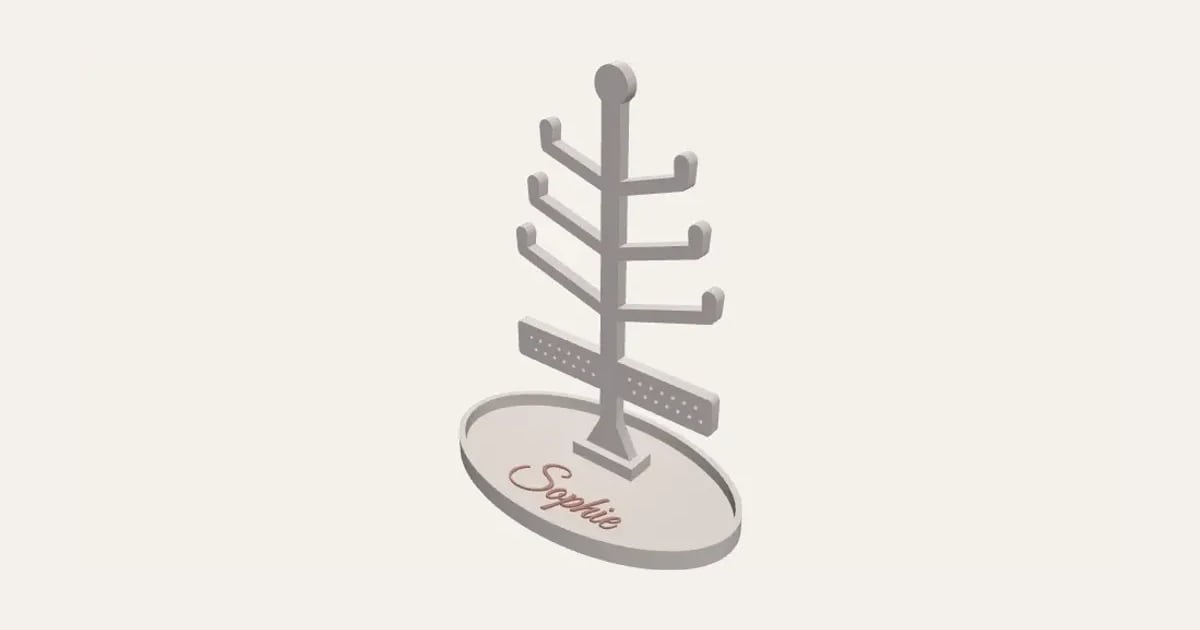
A tree for necklaces and bracelets, its branches turned up at the ends, with a bar of earring holes, standing in an oval ring dish with a name on its floor.
Customise it in your browser, then download a print-ready STL, or a multi-colour 3MF. No CAD skills needed.
About the Jewellery Stand
A personalised jewellery stand: a tree for necklaces and bracelets, its branches turned up at the ends so nothing slides off, with a bar of holes for earrings, standing in an oval ring dish with a name on its floor. A birthday or Christmas gift.
What you can change
- Type your own name.
- Make one, or a whole batch at once: paste a list of names and get one each.
- Font: 26 to choose from, from script to stencil.
- Pick the tree and dish and name colours.
- Adjust tree height, branches each side and dish width.
- Turn on or off: bar of earring holes.
Size
About 13 × 7.5 × 16.6 cm (width × depth × height), one piece at the starting settings.
What you download
An STL for any slicer, and a 3MF with each colour as its own part, ready for an AMS or a filament change.
Printing it
About 41 g of PLA and about 2 hours 30 minutes to print, one piece at the starting settings (15% infill, 2 walls, 0.2 mm layers, on a Bambu Lab A1). Your slicer gives the exact figures for your printer and settings.
Both parts print flat, no supports: the dish open side up, the tree lying down. Push the tree's tab into the slot at the back of the dish (a dab of glue if it's loose). Swap filament for the name, or let the AMS.
Questions
Does it need supports?
No: the tree prints lying flat and pushes into a slot in the dish.
Can I change the size?
Yes: the tree’s height, how many branches, and the dish’s width.
Do I need a multi-colour printer?
No. Print it in one colour, or in colours with a filament change: the Colours line under the 3D view says at which height to change. With an AMS or another multi-colour printer, the 3MF prints it in one go.
Which printers and slicers does it work with?
Any FDM printer. The STL opens in every slicer; the 3MF keeps the colours as separate parts in Bambu Studio, Orca Slicer, PrusaSlicer and Cura. Pick your printer in the designer to check it fits the plate.
Can I sell what I make?
On Pro and Ultimate you can sell the prints you make, for example on Etsy or at craft fairs. On Free and Maker, print it for yourself or give it as a gift. The STL and 3MF files themselves are never for sharing or selling.
More Home & garden
- Plant Pot
- Name Cookie Cutter
- House Number Plaque
- Plant Markers
- Coaster Set
- Twisted Vase
- Ridge Bag Clip
- Name Wall Hooks
- Ridge Wall Hooks
- Ridge Shower Hook
- Ridge Door Hook
- Ridge Slide Clip
- Ridge Hanger Hook
- Ridge Toothpaste Squeezer
- Ribbed Pumpkin
- Pet Bowl Stand
- Ridge Plant Hanger
- Halloween Garland
- Medal Hanger
- Family Toothbrush Holder
- Poop-Bag Holder
- Tilted Desk Organiser
- Cookie Stamp
- Terrain Relief