Filamora Studios › Home & garden
Charger and Cable Labels
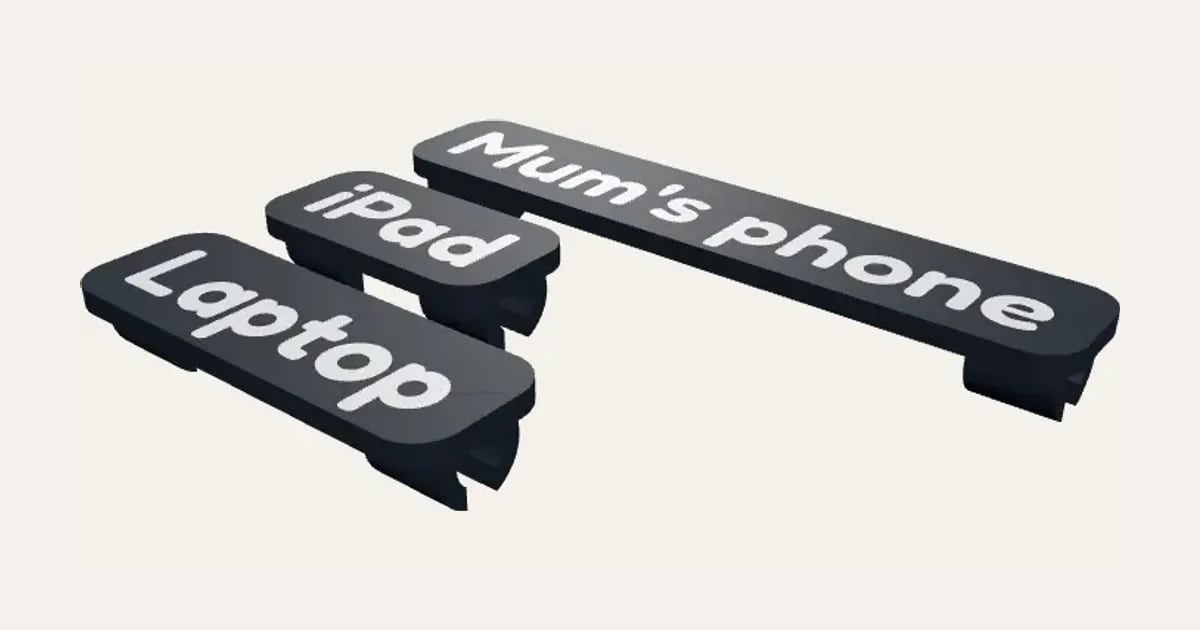
A label with a name or word that snaps onto a charging cable with a clip at each end, the word inlaid in a second colour, so everyone knows whose charger is whose. A whole set from one list.
Customise it in your browser, then download a print-ready STL, or a multi-colour 3MF. No CAD skills needed.
About the Charger and Cable Labels
Charger and cable labels: a flat label with a name or a word on it (Mum’s phone, iPad, Laptop) and a clip at each end of its back that snaps onto the cable, so the word reads along it and everyone knows whose charger is whose. Printed face down, the word inlaid flush in a second colour. Make a whole set from one list.
What you can change
- Type your own labels.
- Font: 30 to choose from, from script to stencil.
- Pick the label and word colours.
- Adjust cable thickness, label height and letter height.
What you download
An STL for any slicer, and a 3MF with each colour as its own part, ready for an AMS or a filament change.
Printing it
Prints face down, so the word is in the first layers: change filament after the first 0.6 mm (or let your AMS do it). Measure your cable and set its thickness: the clips should push on with a click and stay put. Not a toy: small parts.
Questions
What size cable does it fit?
Measure your cable and set its thickness: most phone charging cables are 3 to 4 mm, laptop and TV cables thicker. The clips push on with a click.
Do I need two colours?
It looks best with a filament change after the first 0.6 mm, so the word is a different colour from the label. With one colour, the word is still there, just quieter.
Can it go on any cable?
Any round cable from 2 to 10 mm: chargers, headphones, a router’s power lead, the kettle.
Which printers and slicers does it work with?
Any FDM printer. The STL opens in every slicer; the 3MF keeps the colours as separate parts in Bambu Studio, Orca Slicer, PrusaSlicer and Cura. Pick your printer in the designer to check it fits the plate.
Can I sell what I make?
On Pro and Ultimate you can sell the prints you make, for example on Etsy or at craft fairs, for as long as your membership is active: if it ends, stop selling them. On Free and Maker, print it for yourself or give it as a gift. The STL and 3MF files themselves are never for sharing or selling.
More Home & garden
- Plant Pot
- Name Cookie Cutter
- House Number Plaque
- Plant Markers
- Coaster Set
- Twisted Vase
- Ridge Bag Clip
- Name Wall Hooks
- Ridge Wall Hooks
- Ridge Shower Hook
- Ridge Door Hook
- Ridge Slide Clip
- Ridge Hanger Hook
- Ridge Toothpaste Squeezer
- Ribbed Pumpkin
- Pet Bowl Stand
- Ridge Plant Hanger
- Halloween Garland
- Medal Hanger
- Family Toothbrush Holder
- Poop-Bag Holder
- Tilted Desk Organiser
- Cookie Stamp
- Jewellery Stand
- Terrain Relief
- Family Key Rack
- Initial Bookends