Filamora Studios › Craft helpers
Embroidery Hoop Stand
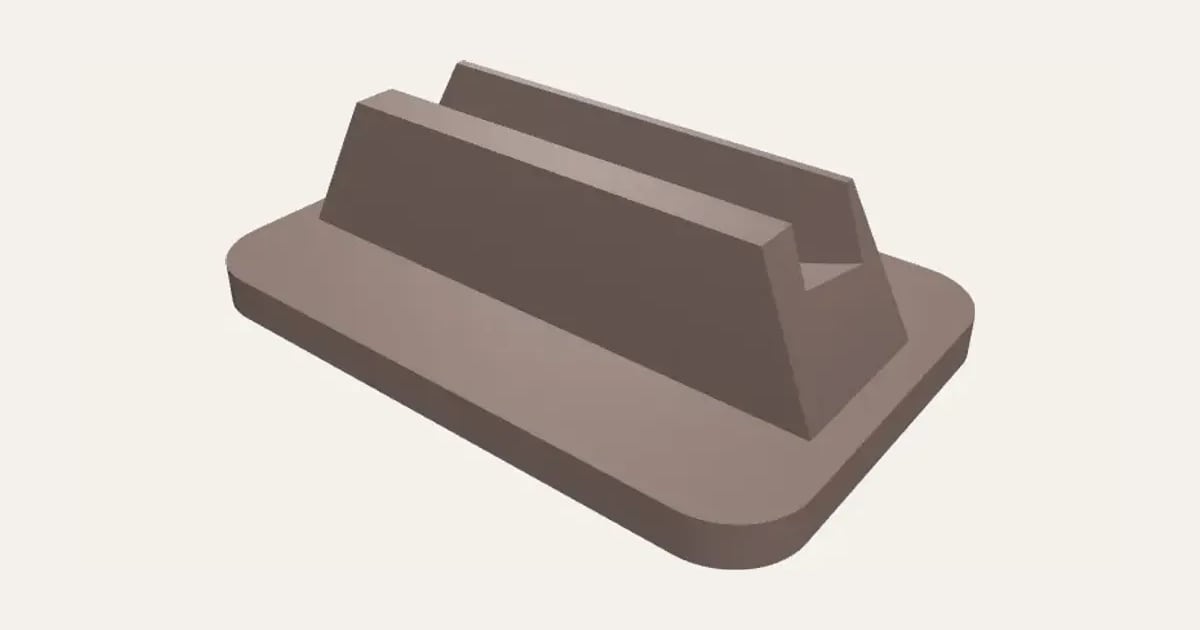
An embroidery hoop stand: a base with a curved groove that follows your hoop’s own curve, so the rim is held all along, leaning back a little or upright. Set the hoop’s diameter and its rim thickness; for stitching or for showing off a finished hoop.
Customise it in your browser, then download a print-ready STL, or a multi-colour 3MF. No CAD skills needed.
About the Embroidery Hoop Stand
A stand that holds an embroidery hoop upright on the table: the hoop’s rim stands in a curved groove that follows the hoop’s own curve, so it’s held all along, leaning back a little or straight up. Use it while you stitch, or to show off a finished hoop.
What you can change
- Pick its colour.
- Adjust hoop diameter, rim thickness, groove depth and lean back, and more.
What you download
An STL or 3MF for any slicer.
Printing it
Prints flat with no supports, groove up. Check your hoop's rim with calipers (outer ring, inner ring and fabric together) and add a little room.
Ideas for using it
- Hands-free stitching at the table.
- Displaying a finished hoop on a shelf.
- A gift with a hoop for a new stitcher.
Questions
How do I measure the rim?
Measure the outer and inner rings together, with your fabric between them, using calipers, then add a little room.
Which printers and slicers does it work with?
Any FDM printer. The STL opens in every slicer; the 3MF keeps the colours as separate parts in Bambu Studio, Orca Slicer, PrusaSlicer and Cura. Pick your printer in the designer to check it fits the plate.
Can I sell what I make?
On Pro and Ultimate you can sell the prints you make, for example on Etsy or at craft fairs, for as long as your membership is active: if it ends, stop selling them. On Free and Maker, print it for yourself or give it as a gift. The STL and 3MF files themselves are never for sharing or selling.
More Craft helpers
- T-Spacers
- Cane Slicing Guide
- Clay Thickness Guides
- Clay Depth Guide Tray and Stand
- Round Bead Roller
- Alphabet Stamp Set
- Clay Cutter Set
- Earring Display Cards
- Texture Roller and Mat
- Pottery Rib Set
- Seam and Hem Gauge
- Knitting Needle and Crochet Hook Gauge
- Thread and Bobbin Organiser
- Paint Bottle and Brush Organiser
- Glue Gun and Craft Knife Stand
- Diamond Painting Drill Trays
- Diamond Painting Drill Organiser
- Diamond Painting Multi-Placer Tips
- Diamond Painting Canvas Roller Stand
- Yarn Bowl
- Stitch Markers
- Yarn Guide Ring
- Sewing Pattern Weights
- Pin Cushion Caddy
- Sewing Machine Thread Stand