Filamora Studios › Desk & gadgets
Sticky Note Holder
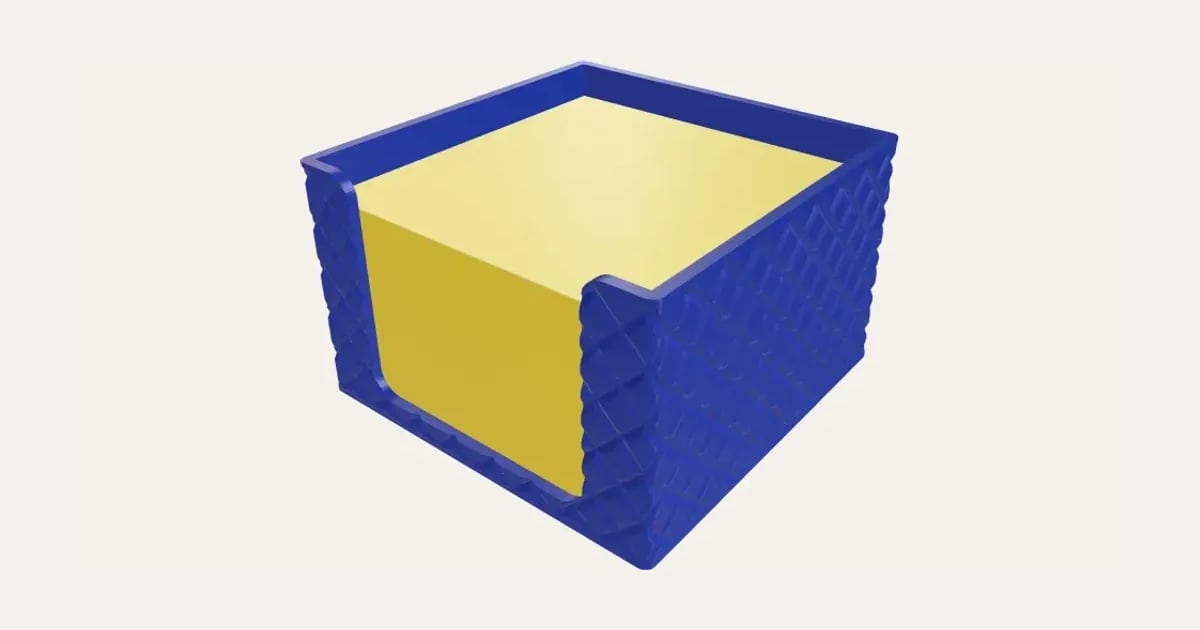
A box for a pad of sticky notes, open at the front so you can peel the top one off, sized to your notes, with a texture on the outside.
Customise it in your browser, then download a print-ready STL, or a multi-colour 3MF. No CAD skills needed.
About the Sticky Note Holder
A box for a pad of sticky notes, open at the front between two corner posts so you can peel the top note off while the pad stays square. Choose the note size, the height of the pad, and a texture for the outside.
What you can change
- Notes: 76 × 76 mm, 76 × 127 mm, 51 × 76 mm, 100 × 100 mm and your own size.
- Outside texture: none, ribbed, fluted and lines, and 4 more.
- Pick its colour.
- Adjust height.
What you download
An STL or 3MF for any slicer.
Printing it
Prints as it sits, with no supports (the texture too). Drop a pad of notes in; the open front lets you peel off the top one.
Ideas for using it
- On the desk by your keyboard.
- By the phone in the hall.
- A matching set in different colours.
On our blog: Ten desk upgrades to print
Questions
What size notes?
The usual 76 × 76 mm, 76 × 127, 51 × 76 or 100 × 100, or your own size.
How tall should it be?
A pad of 400 notes is about 45 mm; the holder is a little taller.
Which printers and slicers does it work with?
Any FDM printer. The STL opens in every slicer; the 3MF keeps the colours as separate parts in Bambu Studio, Orca Slicer, PrusaSlicer and Cura. Pick your printer in the designer to check it fits the plate.
Can I sell what I make?
On Pro and Ultimate you can sell the prints you make, for example on Etsy or at craft fairs, for as long as your membership is active: if it ends, stop selling them. On Free and Maker, print it for yourself or give it as a gift. The STL and 3MF files themselves are never for sharing or selling.
More Desk & gadgets
- Phone Stand
- Pencil Pot
- Cable Clip
- Headphone Stand
- Brick Pot
- Tube Stand
- Desk Can Holder
- Laser-Cut Desk Organiser
- Perpetual Desk Calendar
- Ridge Desk Hook
- Ridge Phone Stand
- Ridge Cable Tidy
- Under-desk Drawer
- Capsule Vending Machine
- Personalised Controller Stand
- Business Card Holder
- Text Embosser
- Desk Name Sign and Phone Stand
- Giant Pencil Case