Filamora Studios › Desk & gadgets
Ridge Cable Tidy
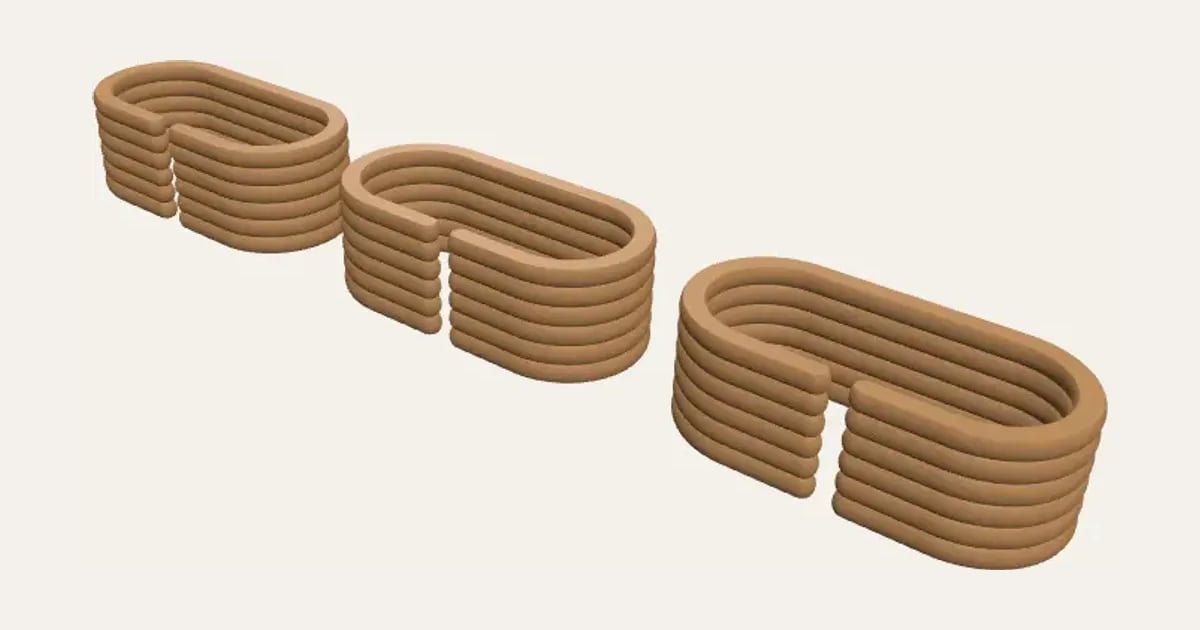
A ribbed Ridge loop that holds a coiled charger cable together: push the cable in through the gap in its side and it snaps in and stays. Choose the size inside, the gap for your cable and the width. Prints on its side with no supports.
Customise it in your browser, then download a print-ready STL, or a multi-colour 3MF. No CAD skills needed.
About the Ridge Cable Tidy
A cable tidy in the ribbed Ridge style: a loop that holds a coiled charger cable together. Push the cable in through the gap in its side and it snaps in and stays. Choose the size inside, the gap for your cable and the width.
What you can change
- Pick its colour.
- Adjust how many, inside length, inside width and gap, and more.
Size
About 52 × 25 × 18 mm (width × depth × height), one piece at the starting settings.
What you download
An STL or 3MF for any slicer.
Printing it
About 18 g of PLA and about 1 hour 10 minutes to print, one piece at the starting settings (15% infill, 2 walls, 0.2 mm layers, on a Bambu Lab A1). Your slicer gives the exact figures for your printer and settings.
Ideas for using it
- Keep laptop and phone chargers coiled in a travel bag.
- Tidy the spare length of a lamp or TV cable.
- Hold headphones’ cables wound up in a drawer.
- A set in matching colours with other Ridge pieces on a desk.
Questions
What size is it?
About 52 × 25 × 18 mm (width × depth × height), one piece at the starting settings. Every size is a setting, so make it as big or small as you need.
Which printers and slicers does it work with?
Any FDM printer. The STL opens in every slicer; the 3MF keeps the colours as separate parts in Bambu Studio, Orca Slicer, PrusaSlicer and Cura. Pick your printer in the designer to check it fits the plate.
Can I sell what I make?
On Pro and Ultimate you can sell the prints you make, for example on Etsy or at craft fairs. On Free and Maker, print it for yourself or give it as a gift. The STL and 3MF files themselves are never for sharing or selling.