Filamora Studios › Storage & organising
Card Sorting Tray
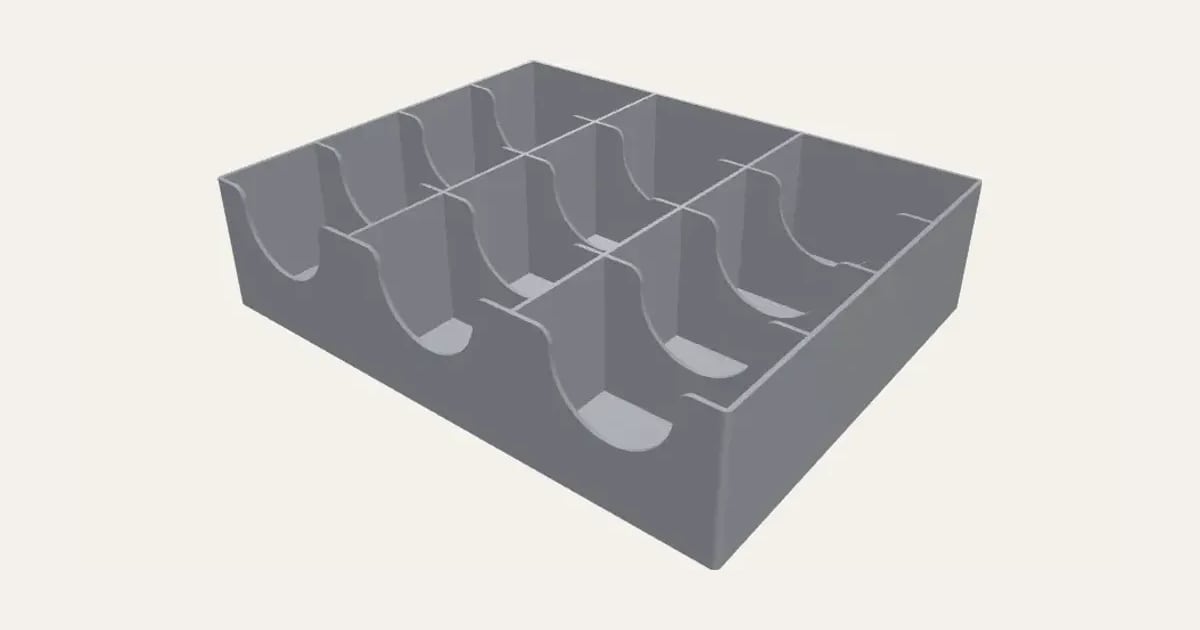
A tray of bays for sorting Pokémon, Magic and other trading cards, each a card wide and as deep as how many go in it, with a scoop in every wall to pinch them out. Choose the bays across and front to back, sleeved or bare, standard or Japanese size. Prints with no supports.
Customise it in your browser, then download a print-ready STL, or a multi-colour 3MF. No CAD skills needed.
About the Card Sorting Tray
A tray of bays for sorting trading cards, a card wide and as deep as however many you put in each, the cards standing up facing you. Each wall has a scoop down its middle so you can pinch out the cards; pick how many bays across and front to back, sleeved or bare, standard or Japanese size.
What you can change
- Cards: sleeved, bare, not sleeved, japanese size, sleeved and japanese size, bare.
- Pick its colour.
- Adjust bays across, bays front to back, cards in each bay and walls as high as, and more.
- Turn on or off: scoop the front wall too.
What you download
An STL or 3MF for any slicer.
Printing it
Prints upright, open side up, with no supports.
Ideas for using it
- Sorting a booster box by set number, type or colour.
- A trade night tray: haves, wants, rares and bulk.
- Pokémon types, Magic colours or Yu-Gi-Oh! attributes, a bay each.
- Building a deck: a bay for each card type.
Questions
How big is each bay?
A card wide (sleeved or bare), and as deep as the cards you set for each bay. The walls are a share of a card’s height, so the cards stand up out of them to read.
It’s too big for my printer
It takes as many bays as fit your plate and says so; print two and stand them side by side.
Does it need supports?
No: it prints upright, open side up, and the scoops are open at the top.
Which printers and slicers does it work with?
Any FDM printer. The STL opens in every slicer; the 3MF keeps the colours as separate parts in Bambu Studio, Orca Slicer, PrusaSlicer and Cura. Pick your printer in the designer to check it fits the plate.
Can I sell what I make?
On Pro and Ultimate you can sell the prints you make, for example on Etsy or at craft fairs, for as long as your membership is active: if it ends, stop selling them. On Free and Maker, print it for yourself or give it as a gift. The STL and 3MF files themselves are never for sharing or selling.
More Storage & organising
- Parametric Box
- Filament Swatches
- SKÅDIS Accessories
- Battery Organiser
- Game & Memory Card Holder
- Card Deck Box
- Toploader & Sleeve Desk Caddy
- Toploader & Sleeve Vertical Desk Caddy
- TCG Sorting Box Dividers
- MTG Stackable Modular Storage System
- Scrying Stand – Card Scanning Tower for MTG, Pokémon & TCG
- Spool Hub Adapter
- Drawer Organiser
- Smart Drawer Organiser
- Jewellery Box with Sliding Lid