Filamora Studios › Storage & organising
Jewellery Box with Sliding Lid
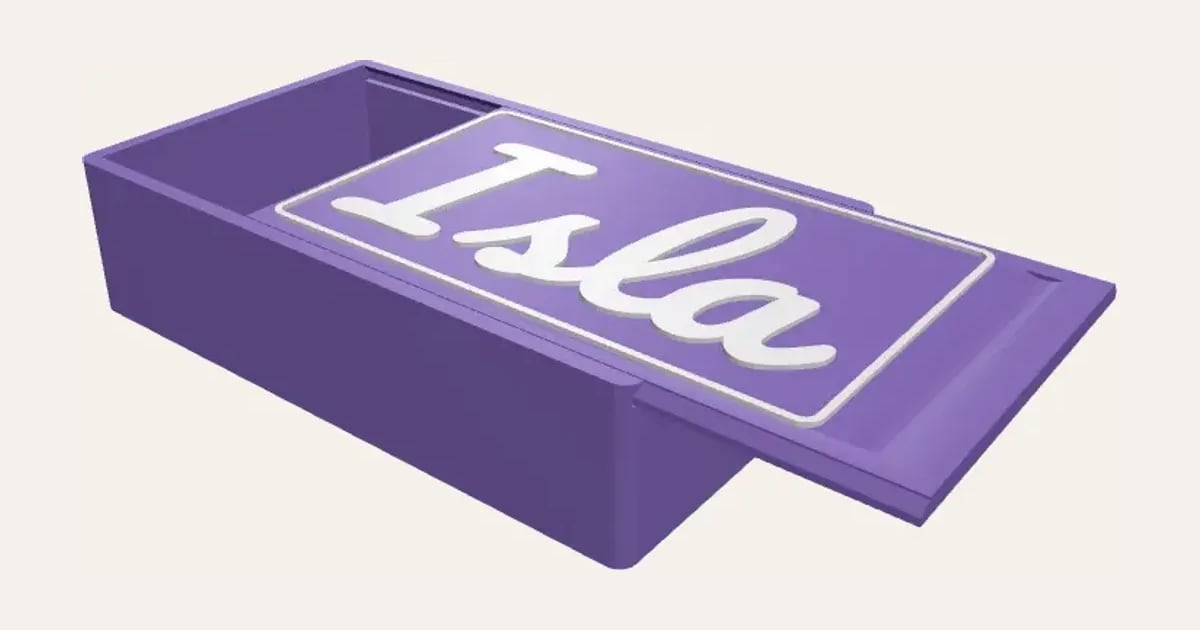
A shallow box with one, two, three or six compartments and a lid that slides along grooves in its walls, with the name raised on it in script inside a border. No supports.
Customise it in your browser, then download a print-ready STL, or a multi-colour 3MF. No CAD skills needed.
About the Jewellery Box with Sliding Lid
A jewellery box with a sliding lid: a shallow box with one, two, three or six compartments for rings, earrings, hair clips and beads, and a lid that slides along grooves in its walls, with the name raised on it in script inside a border. Sized to fit a dressing table drawer or a shelf.
What you can change
- Type your own name on the lid.
- Make one, or a whole batch at once: paste a list of names and get one each.
- Font: 26 to choose from, from script to stencil.
- Compartments: one, two, three and six.
- Pick the box and lid and name and border colours.
- Adjust length, width and height.
- Turn on or off: A raised border on the lid.
What you download
An STL for any slicer, and a 3MF with each colour as its own part, ready for an AMS or a filament change.
Printing it
Both parts print without supports: the box the right way up, the lid flat with its name on top (change filament where the name starts, or let the AMS). Slide the lid in from the low end. If it’s stiff, a few passes in and out ease it.
Questions
Will the lid fall off?
No: its edges are wider at the bottom and sit in matching grooves, so it can only slide, not lift out.
Does it need supports?
No. The box prints the right way up (the grooves have 45° tops) and the lid prints flat with the name on top.
Do I need a multi-colour printer?
No. Print it in one colour, or in colours with a filament change: the Colours line under the 3D view says at which height to change. With an AMS or another multi-colour printer, the 3MF prints it in one go.
Which printers and slicers does it work with?
Any FDM printer. The STL opens in every slicer; the 3MF keeps the colours as separate parts in Bambu Studio, Orca Slicer, PrusaSlicer and Cura. Pick your printer in the designer to check it fits the plate.
Can I sell what I make?
On Pro and Ultimate you can sell the prints you make, for example on Etsy or at craft fairs. On Free and Maker, print it for yourself or give it as a gift. The STL and 3MF files themselves are never for sharing or selling.