Christmas Tree Snack Tray
A Christmas tree tray in two to four sections that sit together, each in its own colour with your words raised on the floor among little snowflakes. Each section prints flat on its own.
Customise it in your browser, then download a print-ready STL, or a multi-colour 3MF. No CAD skills needed.
About the Christmas Tree Snack Tray
A Christmas tree snack tray in two to four sections that sit together, each in its own colour, with your words raised on the floor among little snowflakes. For sweets, nuts and nibbles on the Christmas table.
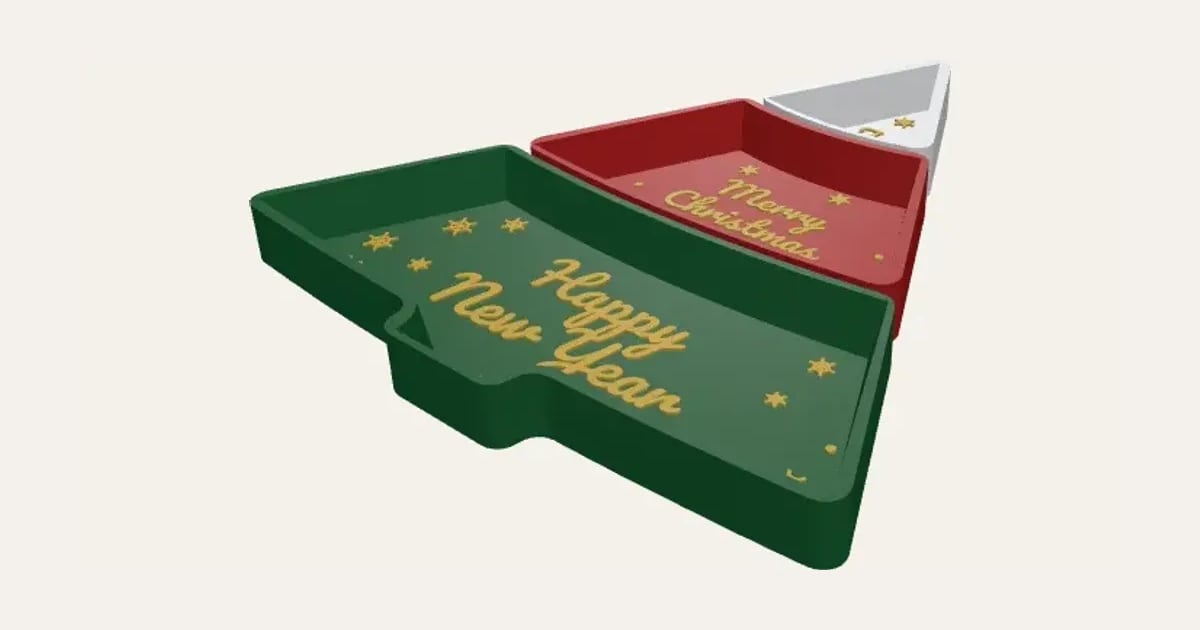
What you can change
- Type your own words on each section, top to bottom.
- Font: 26 to choose from, from script to stencil.
- Pick the top section, middle section, bottom section and words colours.
- Adjust sections, tree height, width at the bottom and depth, and more.
- Turn on or off: little snowflakes.
Size
About 22.3 × 25.2 × 2 cm (width × depth × height), one piece at the starting settings.
What you download
An STL for any slicer, and a 3MF with each colour as its own part, ready for an AMS or a filament change.
Printing it
About 117 g of PLA and about 6 hours 40 minutes to print, one piece at the starting settings (15% infill, 2 walls, 0.2 mm layers, on a Bambu Lab A1). Your slicer gives the exact figures for your printer and settings.
Each section prints on its own, flat with no supports. Food-safe filament (or a liner) for anything unwrapped.
Read: 12 personalised Christmas decorations you can 3D print this year
Questions
Is it food safe?
Use food-safe filament, or a liner, for anything unwrapped. Wrapped sweets are fine either way.
What size is it?
About 22.3 × 25.2 × 2 cm (width × depth × height), one piece at the starting settings. Every size is a setting, so make it as big or small as you need.
Do I need a multi-colour printer?
No. Print it in one colour, or in colours with a filament change: the Colours line under the 3D view says at which height to change. With an AMS or another multi-colour printer, the 3MF prints it in one go.
Which printers and slicers does it work with?
Any FDM printer. The STL opens in every slicer; the 3MF keeps the colours as separate parts in Bambu Studio, Orca Slicer, PrusaSlicer and Cura. Pick your printer in the designer to check it fits the plate.
Can I sell what I make?
On Pro and Ultimate you can sell the prints you make, for example on Etsy or at craft fairs. On Free and Maker, print it for yourself or give it as a gift. The STL and 3MF files themselves are never for sharing or selling.
More Christmas
- Snowflake Name
- Magic Santa Key
- Advent Numbers
- Tree Topper Star
- Line Art Ornaments
- Ribbed Christmas Trees
- Ribbed Finial Bauble
- Christmas Napkin Holder
- Christmas Napkin Rings
- Advent Calendar Drawers
- Christmas Shaped Box
- Photo Bauble
- Christmas Clicker
- Stocking Holder
- Gift Card Tree
- Christmas Village House
- Santa Treat Plate
- Christmas Card Display
- Elf Props
- Christmas Stockings Print
- Christmas Cracker Toys