Filamora Studios › Toys & fidgets
Noughts and Crosses Travel Set
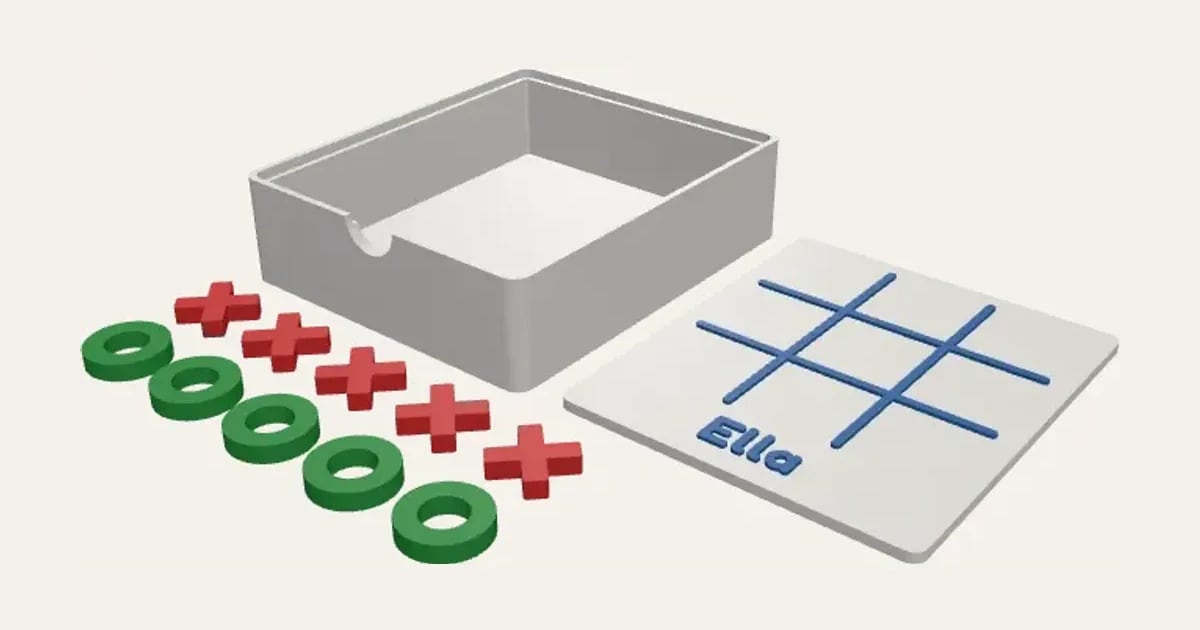
A little tray for the pieces with a lid that drops into its top, the grid and a name raised on it, so the lid is the board. Five crosses and five noughts in two colours.
Customise it in your browser, then download a print-ready STL, or a multi-colour 3MF. No CAD skills needed.
About the Noughts and Crosses Travel Set
A personalised noughts and crosses travel set: a little tray holds the pieces, and its lid, with the grid and a name raised on it, drops into the top and is the board. Five crosses and five noughts in two colours. A stocking filler and a car game.
What you can change
- Type your own name on the board.
- Make one, or a whole batch at once: paste a list of names and get one each.
- Font: 26 to choose from, from script to stencil.
- Pick the tray and lid, grid and name, crosses and noughts colours.
- Adjust square size.
Size
About 82 × 95 × 26 mm (width × depth × height), one piece at the starting settings.
What you download
An STL for any slicer, and a 3MF with each colour as its own part, ready for an AMS or a filament change.
Printing it
About 59 g of PLA and about 3 hours 30 minutes to print, one piece at the starting settings (15% infill, 2 walls, 0.2 mm layers, on a Bambu Lab A1). Your slicer gives the exact figures for your printer and settings.
Everything prints flat with no supports: the tray, the lid (grid side up, swapping filament for the grid and name) and the ten pieces. The lid drops into the step round the top of the tray; the pieces stack inside.
Questions
Does it need supports?
No: the tray, the lid and the ten pieces all print flat.
Can I make it bigger?
Yes: set the square size and the whole set grows with it.
What size is it?
About 82 × 95 × 26 mm (width × depth × height), one piece at the starting settings. Every size is a setting, so make it as big or small as you need.
Do I need a multi-colour printer?
No. Print it in one colour, or in colours with a filament change: the Colours line under the 3D view says at which height to change. With an AMS or another multi-colour printer, the 3MF prints it in one go.
Which printers and slicers does it work with?
Any FDM printer. The STL opens in every slicer; the 3MF keeps the colours as separate parts in Bambu Studio, Orca Slicer, PrusaSlicer and Cura. Pick your printer in the designer to check it fits the plate.
Can I sell what I make?
On Pro and Ultimate you can sell the prints you make, for example on Etsy or at craft fairs. On Free and Maker, print it for yourself or give it as a gift. The STL and 3MF files themselves are never for sharing or selling.