Filamora Studios › Toys & fidgets
Clicker Gift Box
A gift box sized to one of your clickers, with a socket that holds it upright and a slip-on lid with a heart, star or round window to peep through and a name. For animal, Halloween and Christmas clickers.
Customise it in your browser, then download a print-ready STL, or a multi-colour 3MF. No CAD skills needed.
About the Clicker Gift Box
A gift box sized to one of your clickers, with a socket that holds it upright and a slip-on lid with a heart, star or round window to peep through, and a name. For animal, Halloween and Christmas clickers.
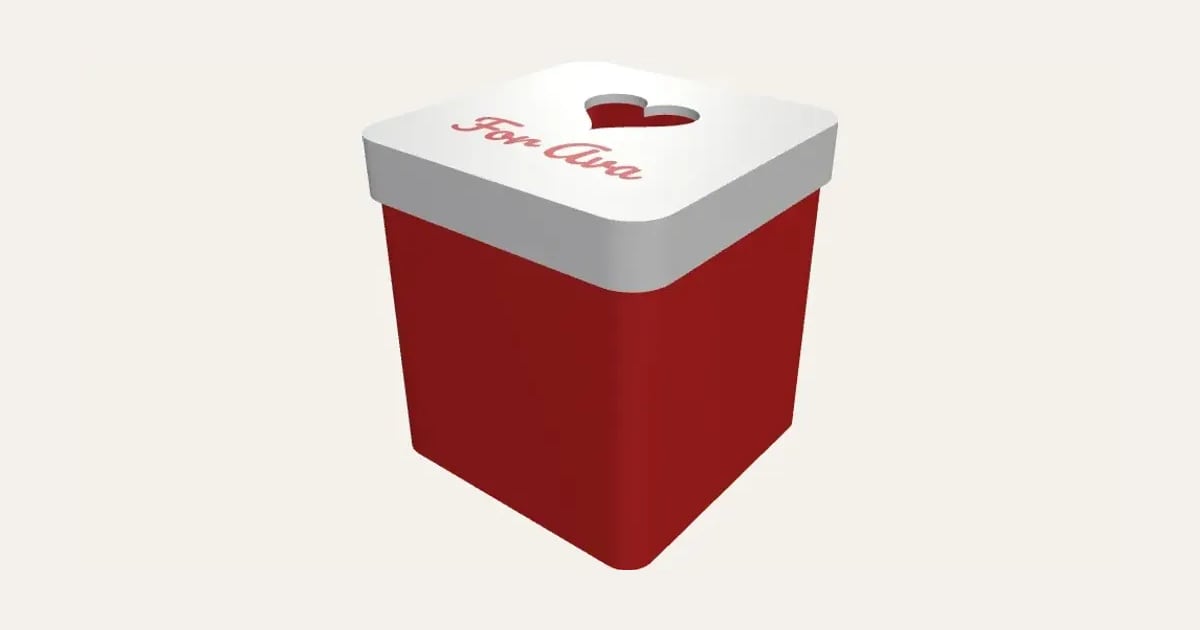
What you can change
- Type your own name on the lid.
- Make one, or a whole batch at once: paste a list of names and get one each.
- Font: 26 to choose from, from script to stencil.
- Window in the lid: heart, star, round and no window.
- Pot: pot and cauldron with feet.
- Pick the box, lid and name colours.
- Adjust clicker head width and clicker pot height.
Size
About 69 × 69 × 73 mm (width × depth × height), one piece at the starting settings.
What you download
An STL for any slicer, and a 3MF with each colour as its own part, ready for an AMS or a filament change.
Printing it
About 84 g of PLA and about 4 hours 50 minutes to print, one piece at the starting settings (15% infill, 2 walls, 0.2 mm layers, on a Bambu Lab A1). Your slicer gives the exact figures for your printer and settings.
Both parts print without supports: the box the right way up, the lid upside down so the name is in its first layers (swap filament after them, or let the AMS). Turn the clicker so its keyring tab points into a corner.
Ideas for using it
- Wrap a clicker as a birthday or Christmas present.
- Package clickers for selling at a craft fair.
- Party favours with each guest’s name on the lid.
- A display box for a favourite clicker on a shelf.
Read: How to make a 3D printed fidget clicker with a keyboard switch
Questions
What size is it?
About 69 × 69 × 73 mm (width × depth × height), one piece at the starting settings. Every size is a setting, so make it as big or small as you need.
Do I need a multi-colour printer?
No. Print it in one colour, or in colours with a filament change: the Colours line under the 3D view says at which height to change. With an AMS or another multi-colour printer, the 3MF prints it in one go.
Which printers and slicers does it work with?
Any FDM printer. The STL opens in every slicer; the 3MF keeps the colours as separate parts in Bambu Studio, Orca Slicer, PrusaSlicer and Cura. Pick your printer in the designer to check it fits the plate.
Can I sell what I make?
On Pro and Ultimate you can sell the prints you make, for example on Etsy or at craft fairs. On Free and Maker, print it for yourself or give it as a gift. The STL and 3MF files themselves are never for sharing or selling.
More Toys & fidgets
- Flexi Name Critter
- Flexi Keyring
- Fidget Spinner
- Spinner Ring
- Infinity Cube
- Keyboard Fidget Keychain
- Impossible Passthrough
- Dumpling Clicker
- Ice Cream Clicker
- Animal Clicker
- Halloween Clicker
- Clicker Display Stand
- Dice Tower
- Valentine's Clicker
- Easter Clicker
- Capsule Vending Machine
- Kids' Bike Plate
- Noughts and Crosses Travel Set