Gridfinity Cutout Bin
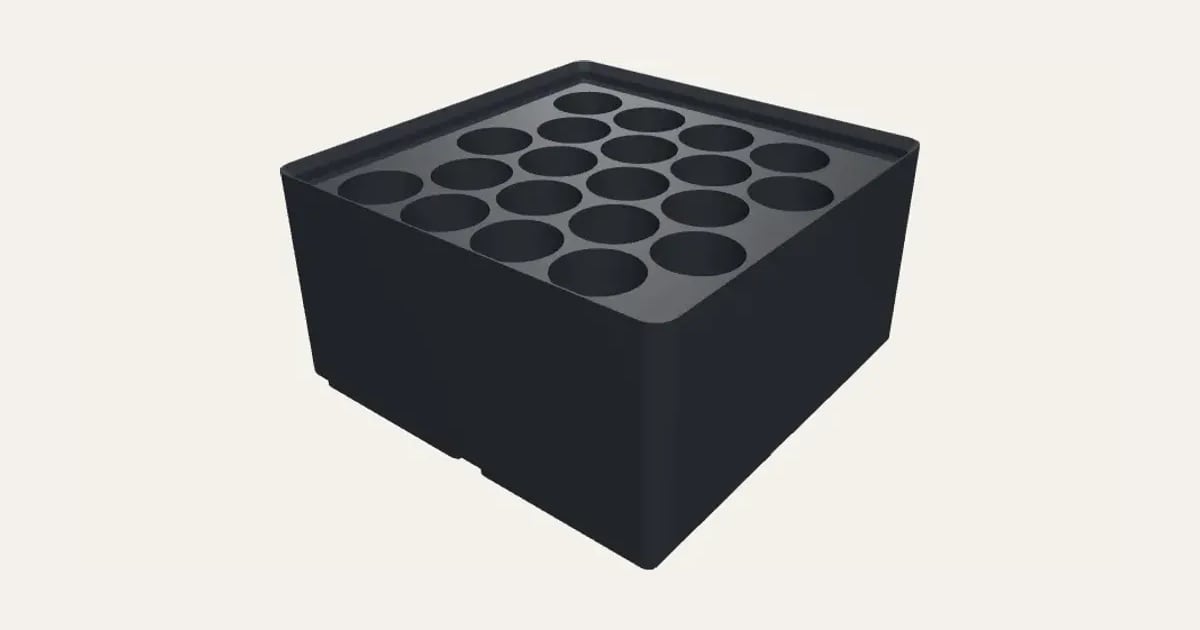
A Gridfinity bin with pockets sized for what goes in it, as many as fit: AA, AAA, C, 9 V and 18650 batteries, coin cells, hex bits, SD and microSD cards, USB sticks, pens, screwdrivers, or a numbered set of drill bits or hex keys. Or your own round holes or slots.
Customise it in your browser, then download a print-ready STL, or a multi-colour 3MF. No CAD skills needed.
About the Gridfinity Cutout Bin
A Gridfinity bin with pockets cut to fit what goes in it: AA, AAA, C, 9 V and 18650 batteries, coin cells, hex bits, SD and microSD cards, USB sticks, pens, screwdrivers, or a numbered set of drill bits or hex keys. As many as fit in the size you choose, or your own round holes and slots.
What you can change
- For: 18650 cells, AA batteries, AAA batteries and C batteries, and 12 more.
- Pick the bin colour.
- Adjust width, depth and height.
- Turn on or off: stacking lip and magnet holes.
Size
About 84 × 84 × 46 mm (width × depth × height), one piece at the starting settings.
What you download
An STL for any slicer, and a 3MF with each colour as its own part, ready for an AMS or a filament change.
Printing it
About 86 g of PLA and about 5 hours to print, one piece at the starting settings (15% infill, 2 walls, 0.2 mm layers, on a Bambu Lab A1). Your slicer gives the exact figures for your printer and settings.
Prints with no supports. Pockets have a little room for the things they hold; for your own, add 0.3–0.5 mm to their size.
Read: Gridfinity explained: sizes, baseplates and how to fit your drawer
Questions
How much room do the pockets leave?
The ready-made pockets have a little room for what they hold. For your own sizes, add 0.3 to 0.5 mm to the item.
What size is it?
About 84 × 84 × 46 mm (width × depth × height), one piece at the starting settings. Every size is a setting, so make it as big or small as you need.
Do I need a multi-colour printer?
No. Print it in one colour, or in colours with a filament change: the Colours line under the 3D view says at which height to change. With an AMS or another multi-colour printer, the 3MF prints it in one go.
Which printers and slicers does it work with?
Any FDM printer. The STL opens in every slicer; the 3MF keeps the colours as separate parts in Bambu Studio, Orca Slicer, PrusaSlicer and Cura. Pick your printer in the designer to check it fits the plate.
Can I sell what I make?
On Pro and Ultimate you can sell the prints you make, for example on Etsy or at craft fairs. On Free and Maker, print it for yourself or give it as a gift. The STL and 3MF files themselves are never for sharing or selling.