Gridfinity Baseplate
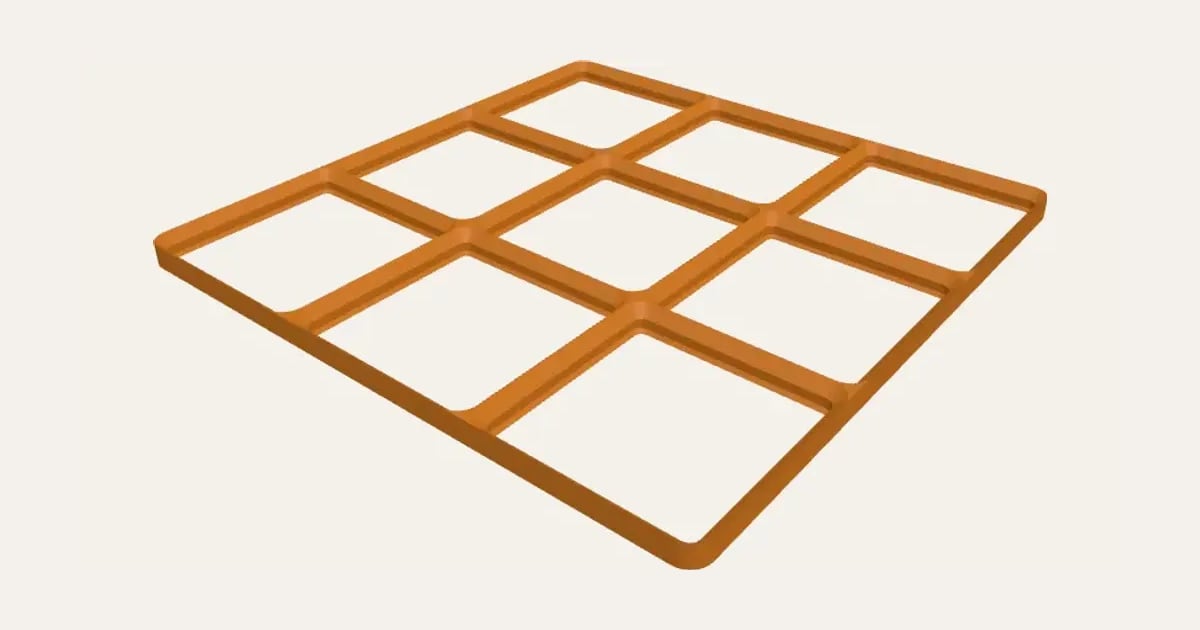
Grid that Gridfinity bins lock into. Optional magnet base.
Customise it in your browser, then download a print-ready STL, or a multi-colour 3MF. No CAD skills needed.
About the Gridfinity Baseplate
A Gridfinity baseplate in any size: the grid that bins lock into, so a drawer stays tidy even when it’s opened in a hurry. Set how many units across and deep to fill your drawer, with or without magnet holes.
What you can change
- Adjust width and depth.
- Turn on or off: solid base with magnet holes.
Size
About 12.6 × 12.6 × 0.5 cm (width × depth × height), one piece at the starting settings.
What you download
An STL or 3MF for any slicer.
Printing it
About 14 g of PLA and about 55 minutes to print, one piece at the starting settings (15% infill, 2 walls, 0.2 mm layers, on a Bambu Lab A1). Your slicer gives the exact figures for your printer and settings.
Read: Gridfinity explained: sizes, baseplates and how to fit your drawer
Questions
How many units fit my drawer?
Divide the inside width and depth of the drawer by 42 mm and round down: a 300 mm drawer takes 7 units. Wider than your printer? Print it in pieces that sit side by side.
Do I need the magnets?
No: bins sit in the grid without them. Magnets (6 × 2 mm) stop bins lifting out with the drawer’s movement or when the box is carried.
Which printers and slicers does it work with?
Any FDM printer. The STL opens in every slicer; the 3MF keeps the colours as separate parts in Bambu Studio, Orca Slicer, PrusaSlicer and Cura. Pick your printer in the designer to check it fits the plate.
Can I sell what I make?
On Pro and Ultimate you can sell the prints you make, for example on Etsy or at craft fairs. On Free and Maker, print it for yourself or give it as a gift. The STL and 3MF files themselves are never for sharing or selling.